


For Affiliate Marketers Promoting Digital-Product Launches

Affiliate Marketers: Turn Any Product Launch Into AReady-To-Promote Campaign Before It Even Launches

Give PromoAgent AI the product’s launch page or offer details. Review the campaign brief it creates, then let PromoAgent AI automatically generate the editable pages, emails, bonus assets, social posts, checklist, and launch materials — all in minutes.

Product Walkthrough — Recorded Demo TBD
Placeholder for the PromoAgent AI product walkthrough video, which has not been recorded yet

See PromoAgent AI read a vendor launch page, create the Offer Brief, and generate the campaign assets inside one project.

You review the facts, edit anything you want, add your links, and decide what gets published.

Unfinished · Unfinished · Unfinished
The Case Files

Finding A Launch Is Only The Beginning.
Then The Real Work Begins.

You spot a digital product that could suit your audience. The offer looks relevant. The launch date is approaching. It appears worth promoting. None of the campaign assets appear simply because you found a good offer.

Campaign log · 3 cases on file
A desk late at night: a screen buried under a dozen open tabs, notes scattered around the keyboard
Case 01 · The Manual Read
EVIDENCE / 01
Case 01

You read everything yourself.

You open the vendor’s JV page, the information page created for affiliates. You read the sales page. You watch the demo. You compare the features, benefits, audience, pricing, dates, and promotional details. You start collecting notes. Then you still need to turn all that material into an actual campaign.

JV page, sales page, demo Features, pricing, dates A page of notes
OutcomeYou understand the offer. Not one campaign asset exists yet.

Case 02 · The Blank Page
EVIDENCE / 02
Case 02

Separate prompts create fragmented campaigns.

Write the first email. Return to the vendor page. Start the landing page. Go back again for the bonus page. Explain the product from the beginning for social media. Every asset becomes another blank document, another prompt, and another interpretation of the same offer. That is where the campaign begins to drift.

The email leads with one benefit The landing page says another The posts promise something else
OutcomeThere may be plenty of copy. It does not feel like one promotion.
Case 03 · The Last-Minute Patch
EVIDENCE / 03
Case 03

Every hour spent assembling brings launch day closer.

By the time the campaign is ready, the pages may have been rushed together. The emails may be using different angles. Important product details may have been copied incorrectly. The bonus and delivery process may still be unfinished. Or you may decide the launch is no longer worth the preparation.

Pages rushed together Details copied incorrectly Bonus delivery unfinished
OutcomeYou found the offer. What you did not have was a fast way to turn it into a campaign.

Turn your next launch into a promo kit.

Start from a source PromoAgent has actually read, instead of a blank page and fourteen tabs.

The Ready Advantage

The affiliates who are ready first are not necessarily the loudest.
They are prepared.

Before the window moves

Preparation is cheap here.

There is no clock on you yet. The offer can be read properly, the angle can be argued with, the pages can be built and edited without anyone waiting. Nothing about this work is hard — it's just work that almost never gets done, because nothing is forcing it.

When the window is open

Preparation is impossible here.

Now the clock is running and the first wave has already mailed. Whatever exists, ships. Whatever doesn't exist, doesn't. This is not the moment you find your angle — it's the moment you find out whether you had one.

PromoAgent gives the preparation a place to happen before the pressure arrives.

Meet PromoAgent AI

Everything You Need To Promote A Launch.
Built From One Checked Source.

Campaign Builder Online

PromoAgent AI is the launch-to-campaign system for affiliate marketers. It replaces the scattered writing and assembly work with one connected flow — from source, to checked brief, to editable campaign.

01 / SOURCEINPUT READY

Drop In The Launch

Give PromoAgent AI the vendor’s JV page, sales page, offer document, or a launch selected from Launch Radar.

JV PAGESALES PAGEOFFER DOCRADAR PICK
02 / INTELLIGENCEREVIEW GATE

Check The Offer Brief

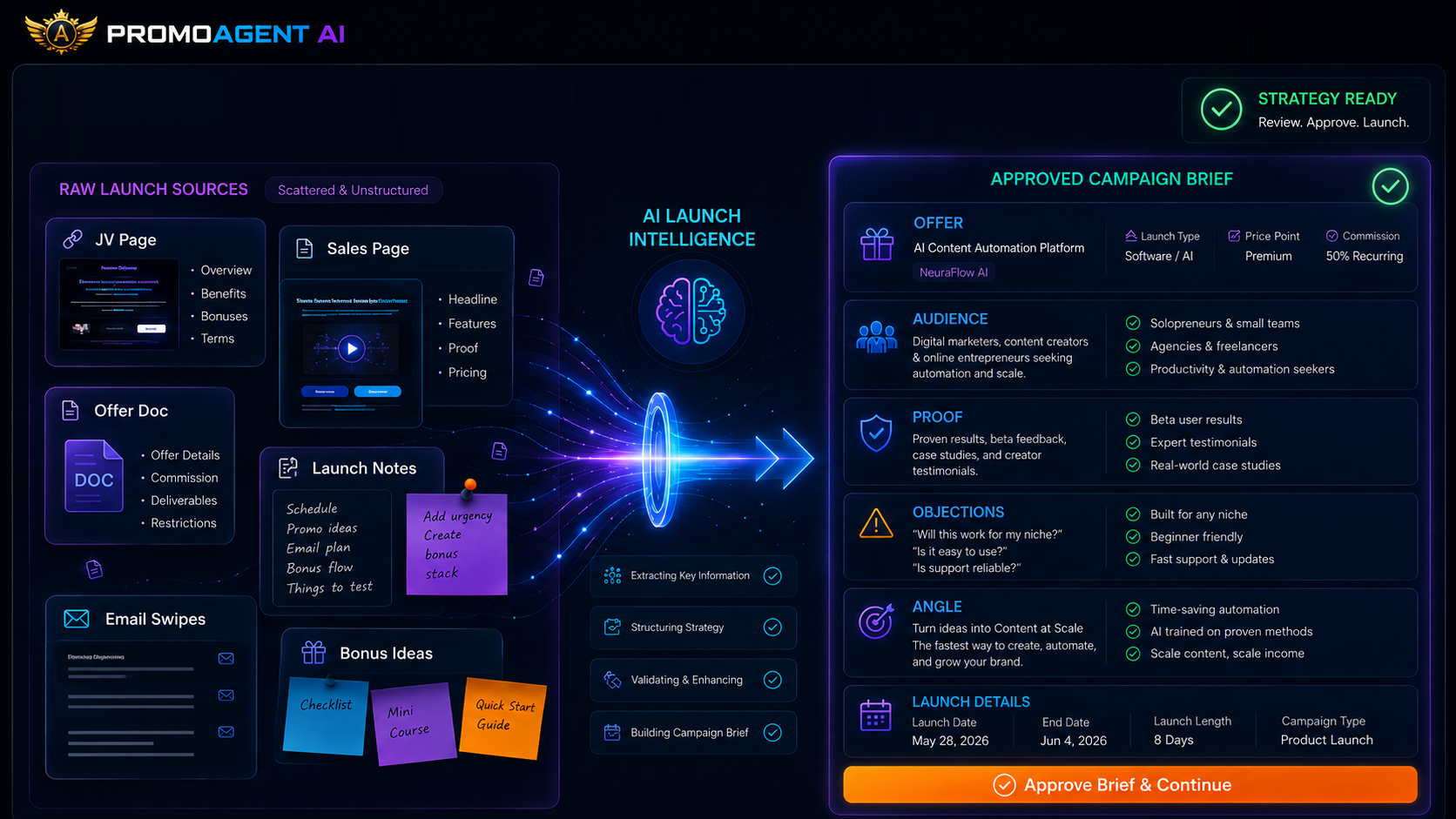
It reads the source, identifies the important offer details, and turns them into a structured brief you can correct and approve.

AUDIENCEANGLEBENEFITSPROOF
03 / CAMPAIGNEDITABLE OUTPUT

Generate The Promo Kit

Once you approve the brief, PromoAgent AI generates the editable pages, emails, bonuses, posts, checklist, and export-ready assets you choose.

PAGESEMAILSBONUSESEXPORTS
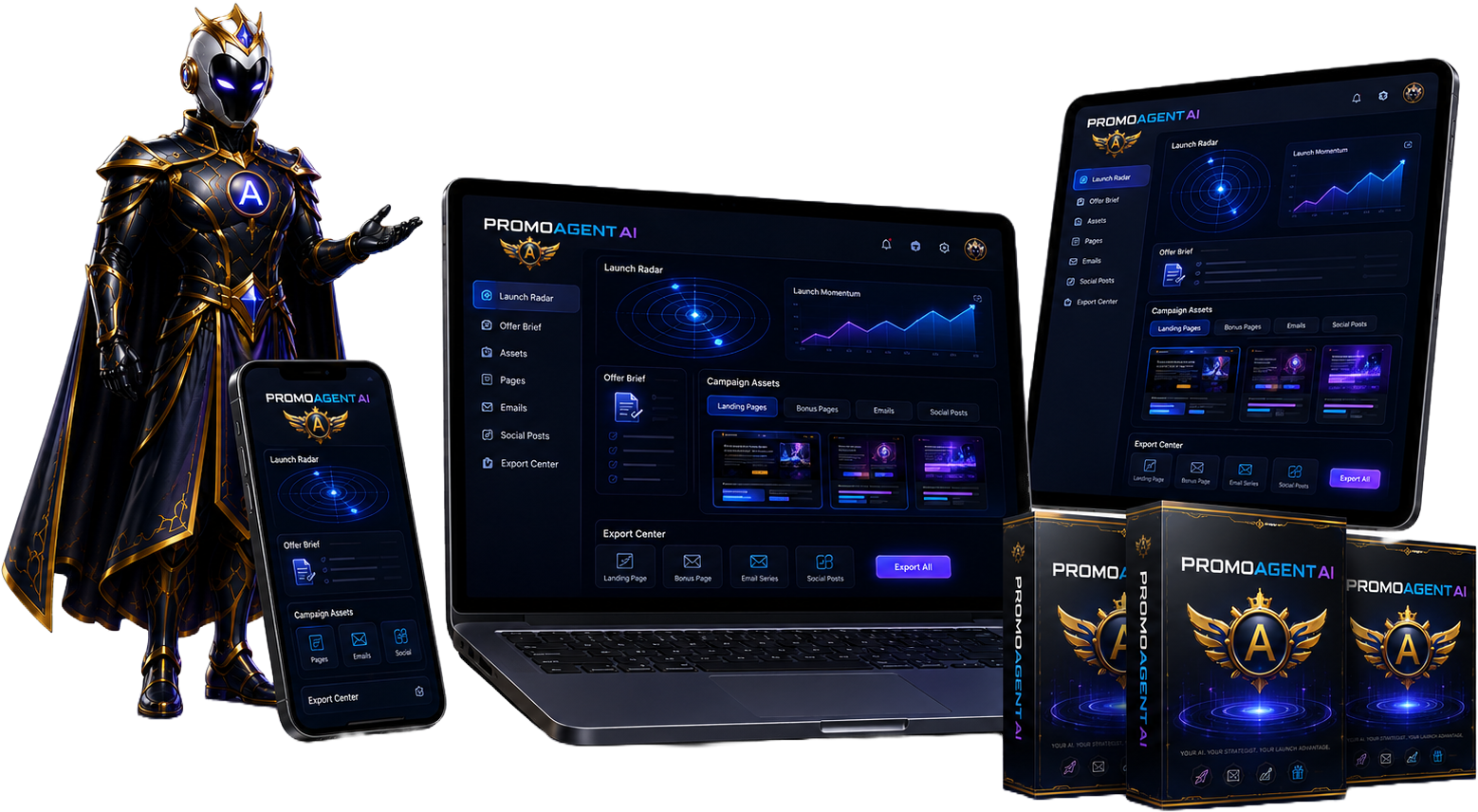
PromoAgent AI running across laptop, tablet and phone — Launch Radar, Offer Brief, campaign assets and the Export Center — with Aureon, the PromoAgent strategist, alongside the product
Everything stays in one project workspace Every generated asset remains editable

PromoAgent AI is not another empty chat box.
It reads the launch, builds the brief, and generates the campaign for you.

The One-Source Campaign Engine

Give PromoAgent AI The Launch Once.
Let It Build From There.

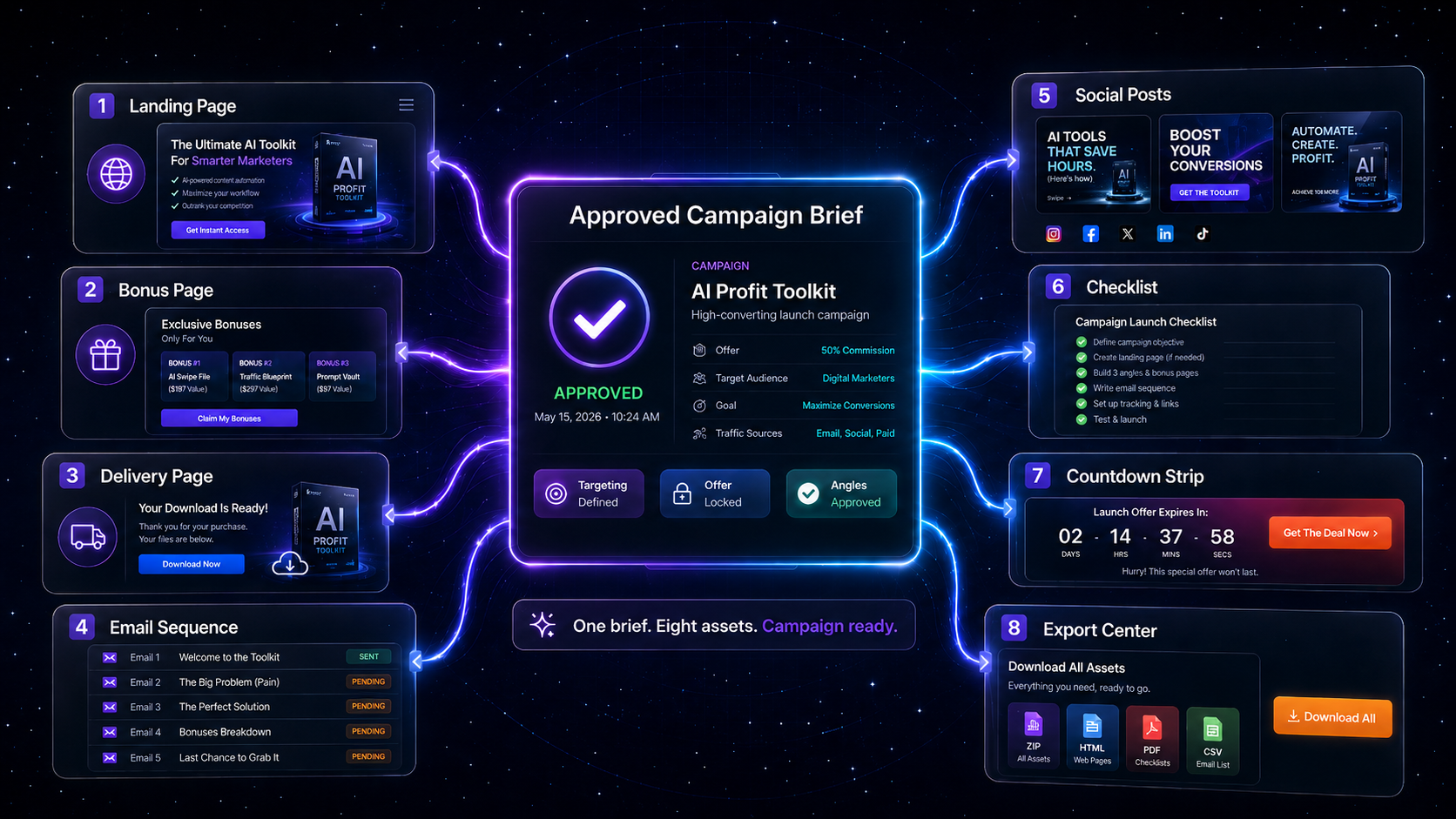
Supply the launch source. PromoAgent AI creates the Offer Brief. You review it. Once approved, PromoAgent AI automatically generates the campaign assets you chose — then you edit and export.

Launch Inputs
JV Page Queued
Sales Page Queued
Launch Radar Pick Queued
PromoAgent Engine
Reads the source. Builds the brief. Holds the campaign together.
Awaiting source
Offer Brief checkpoint — you approve it
Campaign Outputs
Offer Brief
Landing Page
Bonus Page
Delivery Page
Email Swipes
Social Posts
Launch Checklist
Export Center
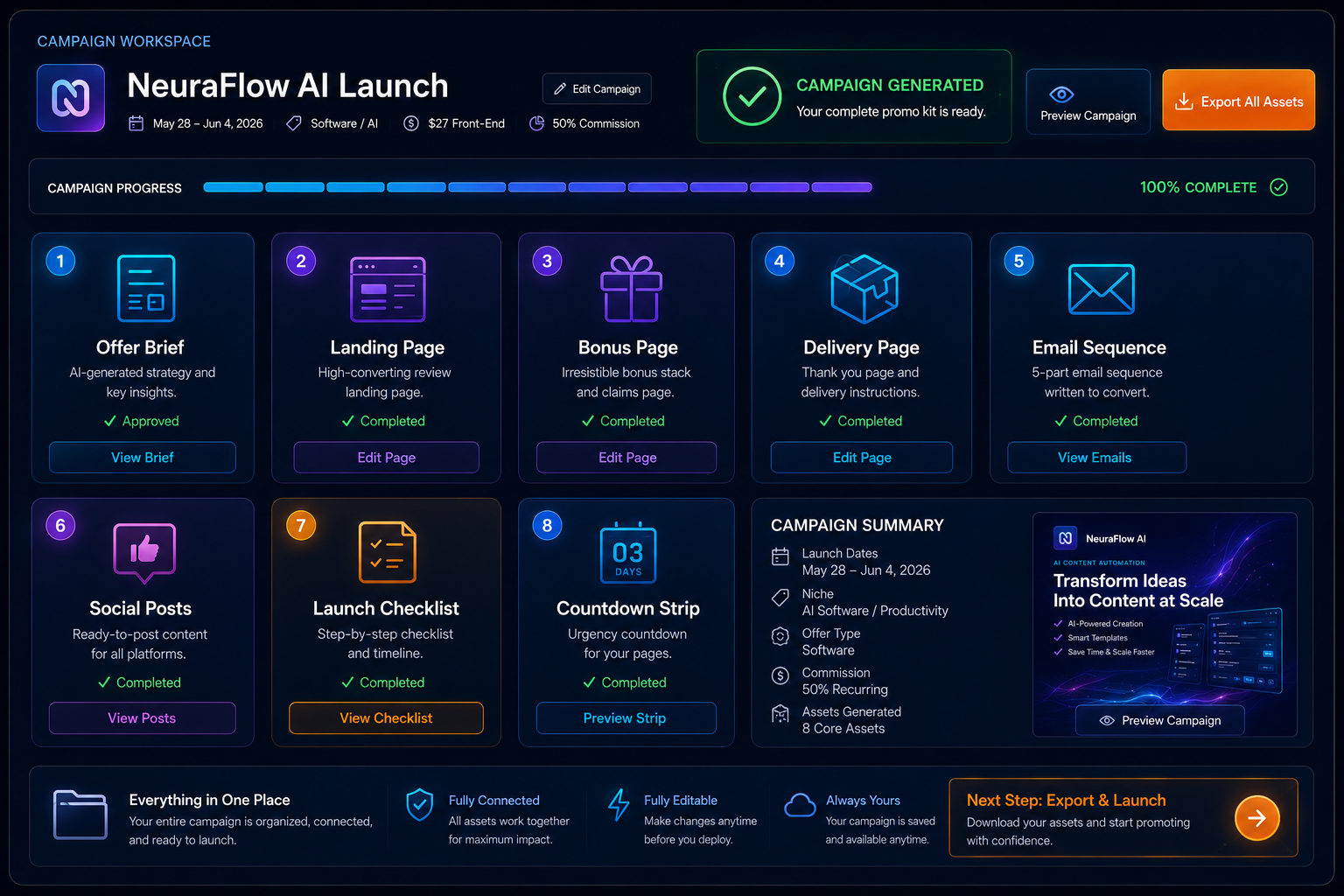
One approved campaign brief connected to all eight generated assets: landing page, bonus page, delivery page, a five-email sequence, social posts, a launch checklist, a countdown strip and the Export Center
View in detail

PromoAgent AI does not publish, send, or launch the campaign without you. It generates the editable campaign. You open any asset, refine the copy, add your affiliate links, insert your real bonuses — and you decide what goes live.

See The Workflow In The Real Product

Follow A Launch From Source To Generated Campaign.

The screenshots below show the real PromoAgent AI product and the key stages used to generate a promotion. These are not disconnected writing examples. They are the stages of one campaign moving through the product.

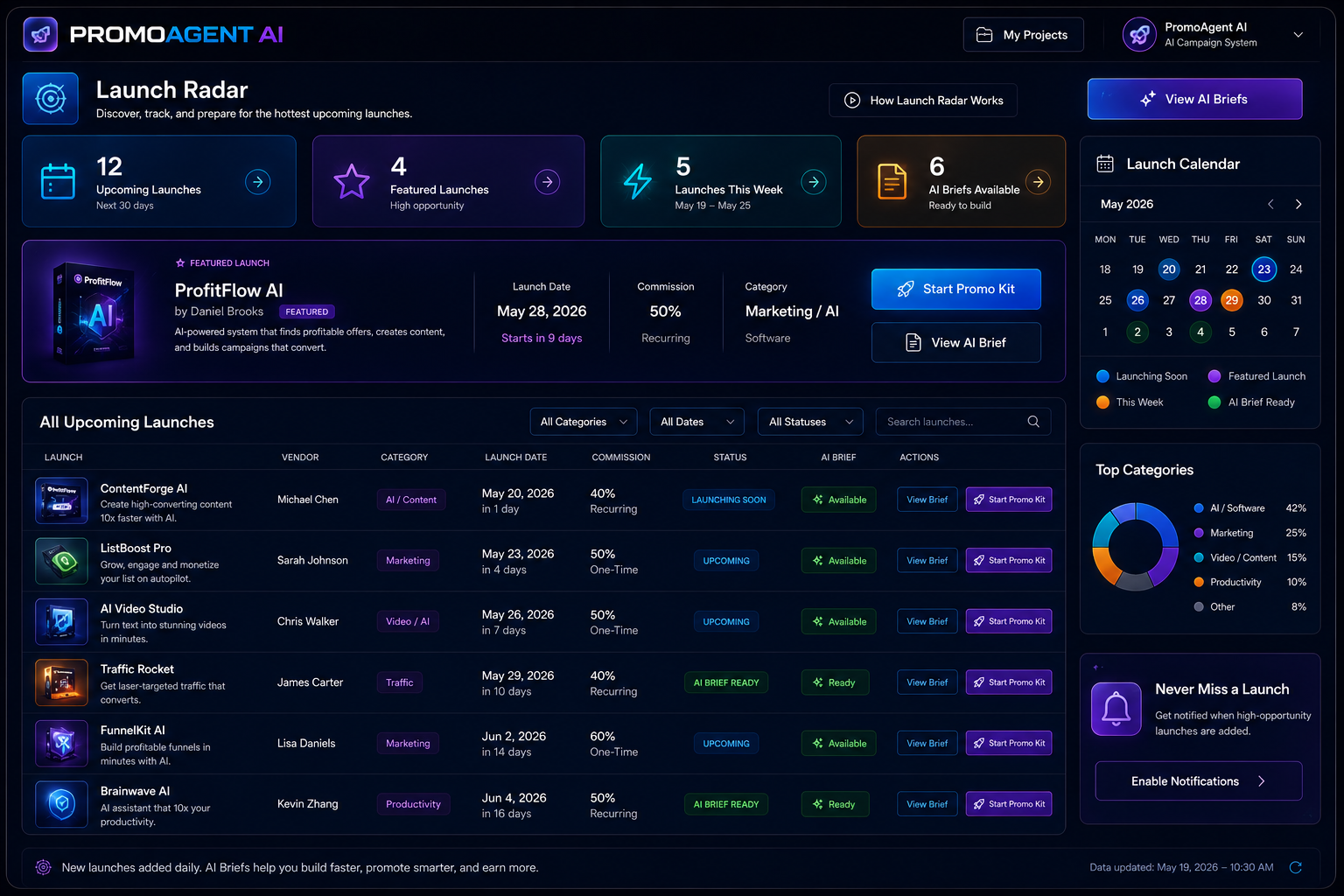
The PromoAgent AI Launch Radar screen: a featured launch spotlight plus upcoming launch cards showing vendor, category, launch date and commission, each with a Start Promo Kit action
View in detail
Stage 01

Launch Radar

Start with an available digital-product launch instead of searching through scattered launch notices. Open an opportunity and move it directly into the PromoAgent AI campaign process.

  • Listings may show the product, vendor, category, launch date, front-end price, affiliate commission, vendor information page, sales page, and launch status.
  • Details shown depend on the information available for that launch.
  • Open an opportunity and move it straight into the campaign process.
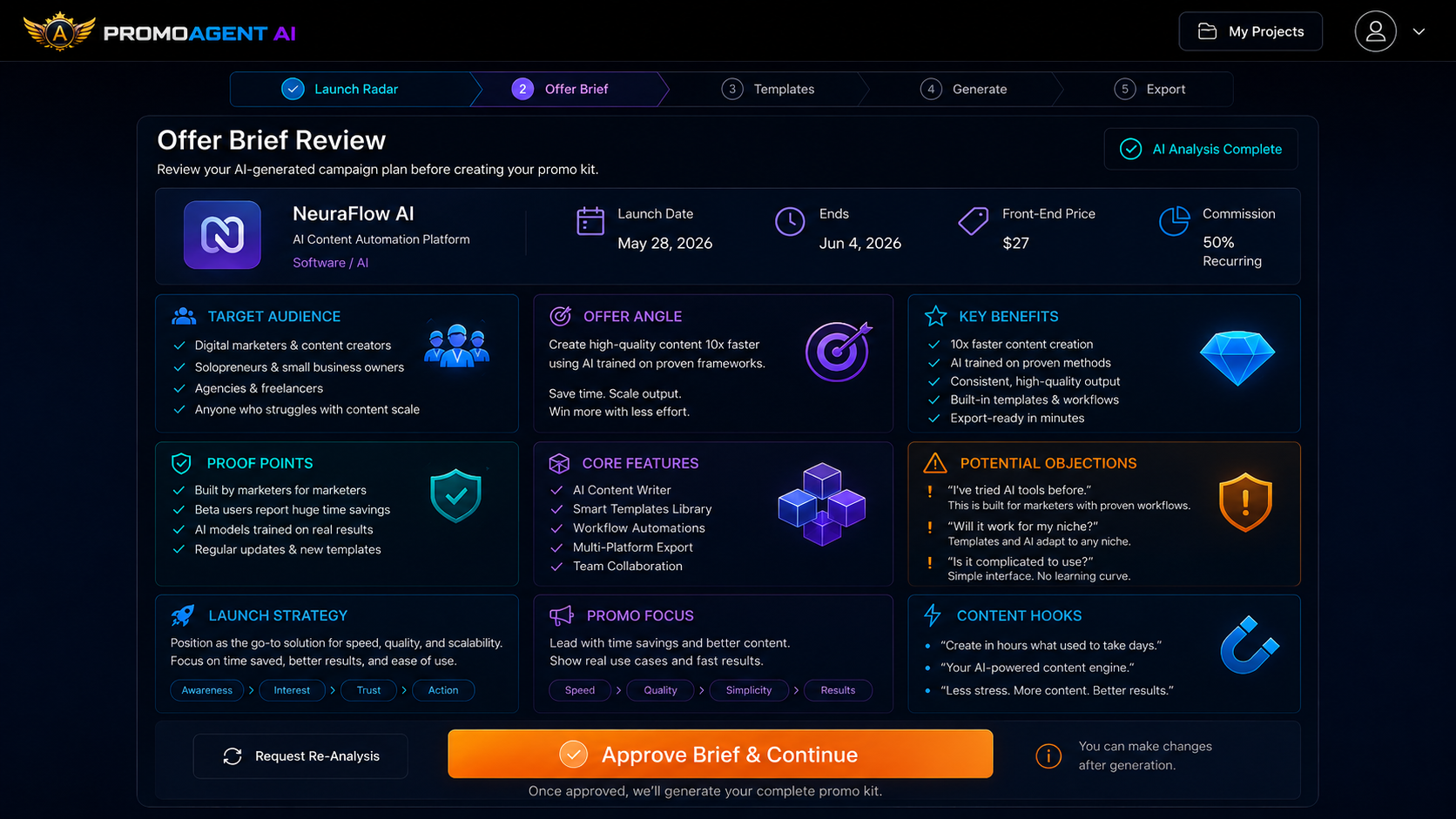
The PromoAgent AI Offer Brief Review screen showing Core Offer Details — product name, vendor, offer price, commission, launch date, promo deadline and promo rules — extracted from the launch source
View in detail
Stage 02

Offer Brief

This is the Offer Brief screen — the checkpoint where you confirm the campaign foundation before anything else is generated. Correct a detail. Remove a claim. Refine the audience. Adjust the angle. Once the brief reflects the promotion you want to run, approve it.

  • Depending on the source, the brief can include what the product is, who it appears to be for, the problem it addresses, the main benefits and relevant features.
  • Plus vendor-supplied proof points, likely objections, possible hooks, pricing and launch details, and a suggested lead angle.
  • Correct the brief once. Then generate the campaign from the approved version.
The PromoAgent AI campaign workspace: the generated Offer Brief plus tabs for the landing page, bonus page, delivery page, emails, social posts, checklist and countdown strip, all inside one project
View in detail
Stage 03

Campaign Workspace

The campaign workspace shows the generated pages, emails, social posts, checklist, and other campaign assets inside one project. The source, brief, and campaign status stay attached to the same launch.

  • Move between the original source, the approved Offer Brief, and every generated asset.
  • See what has been generated, what still needs editing, and what is ready to use.
  • One launch. One project. One generated campaign.
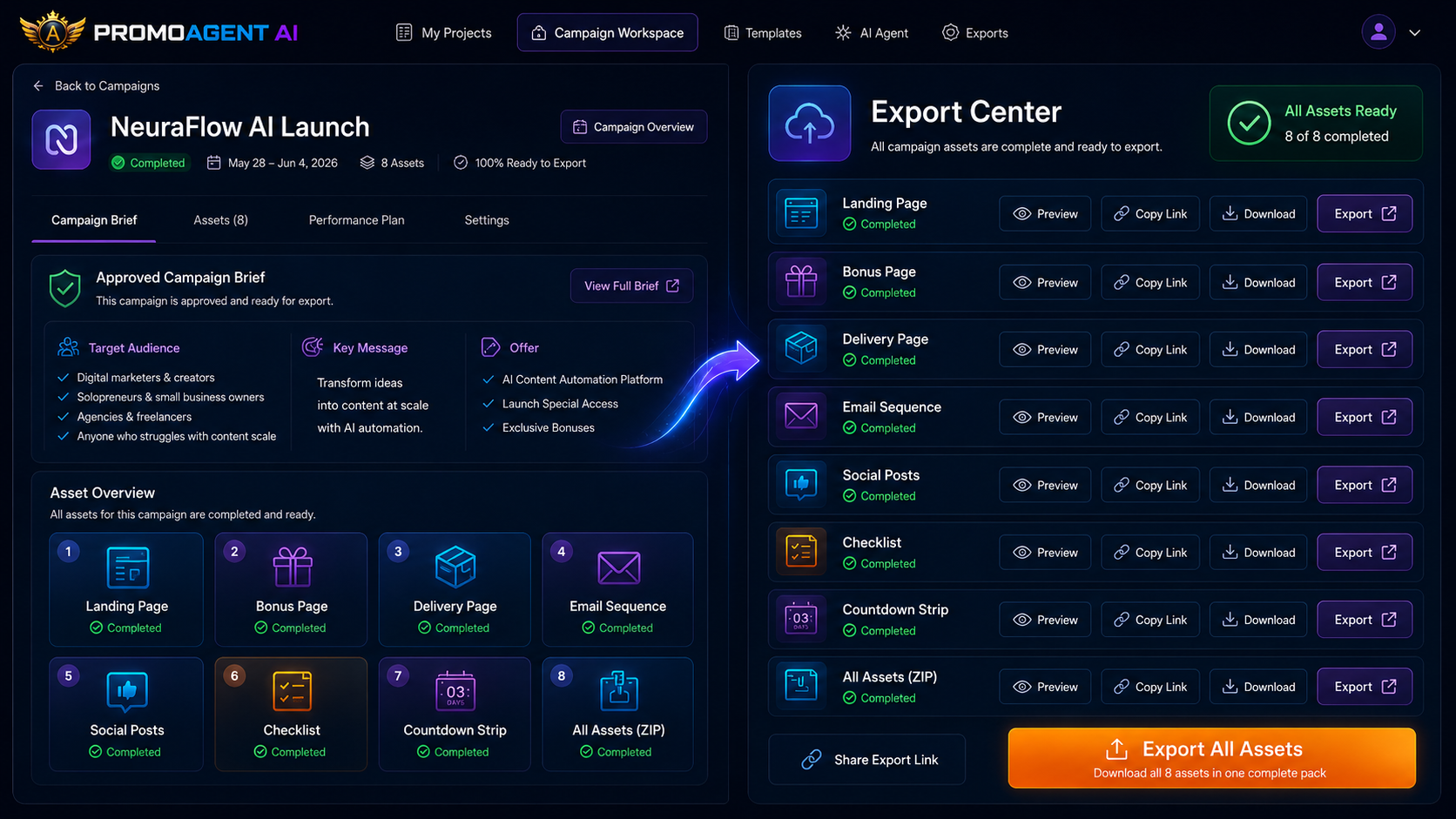
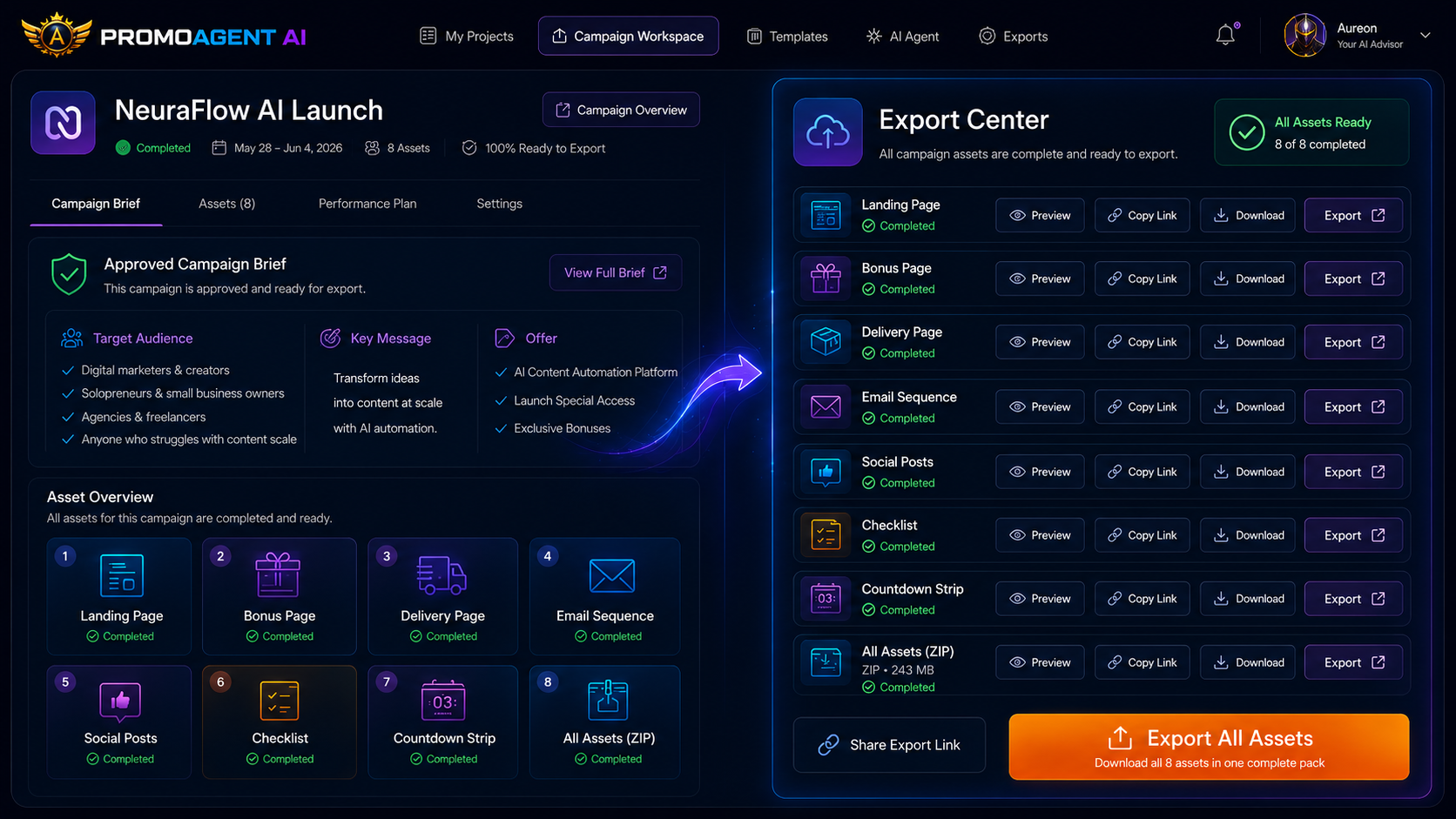
The PromoAgent AI Export Center: 8 of 8 assets ready, listing the landing page, bonus page, delivery page, email sequence, social posts, checklist and countdown strip with their type, generated status and export actions
View in detail
Stage 04

Export Center

The Export Center shows completed assets and the available preview, copy, download, and export actions. Move forward with a campaign that has already been generated, instead of assembling one piece by piece.

  • Preview the assets.
  • Copy the content.
  • Download or export the available files.
The Offer Brief Is Your Campaign Checkpoint

Check The Foundation Once Before PromoAgent AI Generates
Everything Else.

Vendor launch material is not always complete, clear, or current. Important facts may be spread across several pages. The strongest benefit may be buried beneath a long feature list. Pricing or launch dates may have changed. PromoAgent AI brings the key information together before generating the campaign.

That gives you one place to check
  • What the product is
  • Who it appears to be for
  • Which benefits will be emphasised
  • Which proof points were found
  • Which objections may need to be addressed
  • Which hooks are being suggested
  • Which dates, prices, and offer details will be used
The AI creates the first interpretation

You decide whether it is accurate enough to use.

PromoAgent AI can read and structure the source material. It cannot independently verify every statement made by a third-party vendor. Confirm important product facts, claims, prices, dates, and terms against the original source before publishing.

Bring Your Own AI Key

Connect Your Provider Once And Use It Across Your Campaigns.

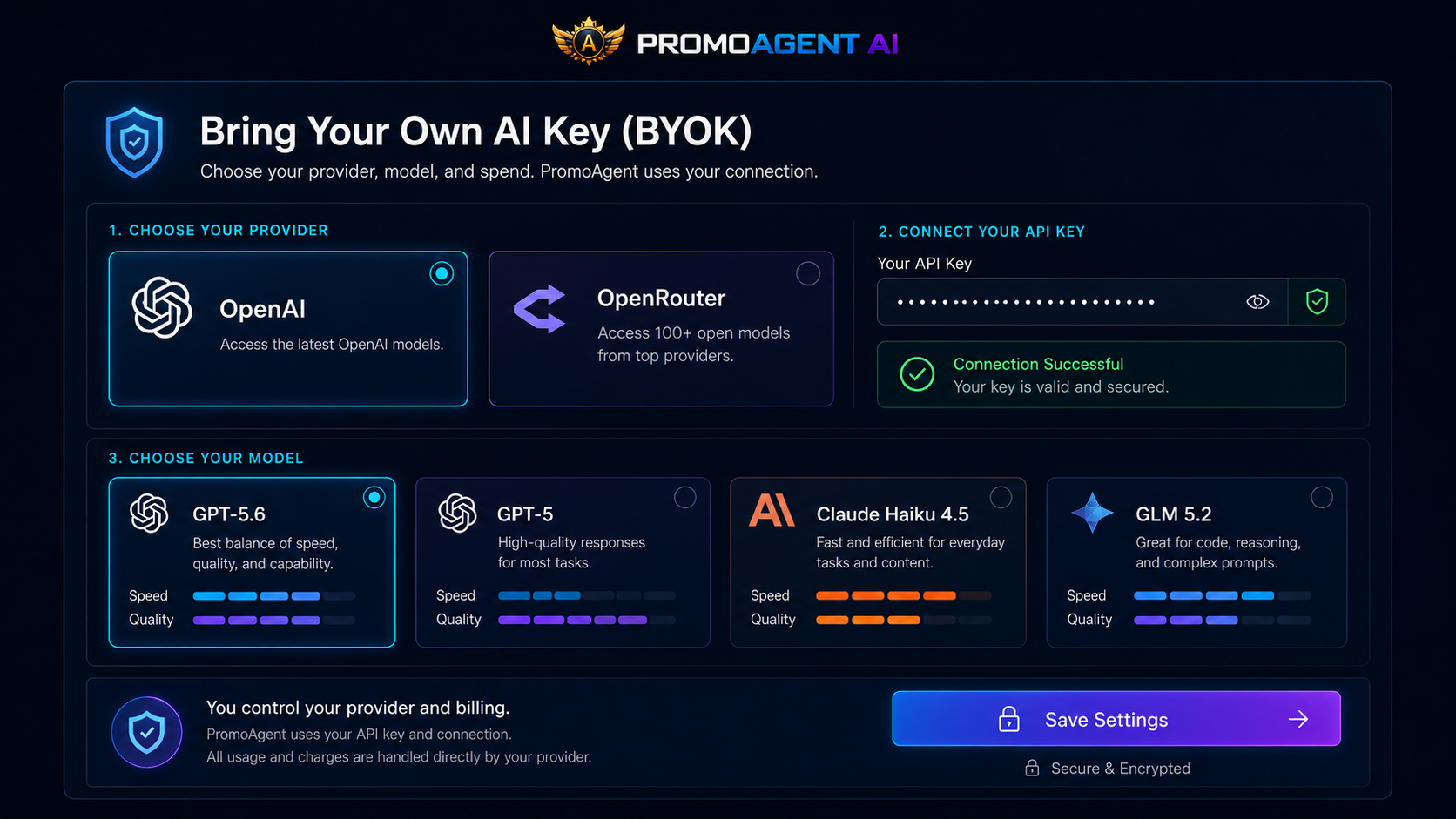
PromoAgent AI uses a Bring Your Own Key system, often shortened to BYOK. You connect your supported OpenAI or OpenRouter API key inside Settings. PromoAgent AI then uses that provider account to generate your Offer Briefs and campaign assets.

The PromoAgent AI Settings AI Provider screen: choosing a provider (OpenAI or OpenRouter), connecting an API key, and choosing a model, with connection status showing Connection Successful
View in detail
  • You choose the supported provider and modelConnect a supported OpenAI or OpenRouter API key, then select from the supported models. You control the balance of speed, quality, and cost.
  • You pay the AI provider directlyYou are not dependent on a bundle of PromoAgent generation credits. Provider usage charges are separate from the price of PromoAgent AI.
  • Connect it onceYou connect your AI provider once in Settings. It is not a separate setup for every campaign.
Why Not Just Use A General AI Chat Tool?

A General AI Chat Can Write One Piece At A Time.
PromoAgent AI Generates The Campaign As A Connected Whole.

A general AI chat tool can help you draft an affiliate email or write part of a landing page. But it does not begin with an affiliate campaign system already in place. The AI may write useful copy — you are still acting as the campaign manager, prompt writer, organiser, and assembly line.

 
With a general AI chat tool
With PromoAgent AI
Where it starts
Every asset begins as another request
The process begins with the actual launch source
The offer
Product context may need to be repeated
PromoAgent AI reads and structures the offer
The checkpoint
There is no dedicated Offer Brief checkpoint
You review one clear Offer Brief
Generation
Different chats may produce different facts or angles
The approved brief feeds the selected campaign assets
The assets
You choose what to create next, one at a time
Pages, emails, posts, bonuses, and launch materials are generated for you
The project
There is no project holding the full promotion together
The entire promotion stays inside one project
The output
You collect and assemble the outputs yourself
The supported outputs are collected inside Export Center

PromoAgent AI still uses AI models to generate the content. The difference is that the campaign logic, shared context, asset types, project structure, and generation process have already been built around affiliate launches.

Step 01 — The approved source
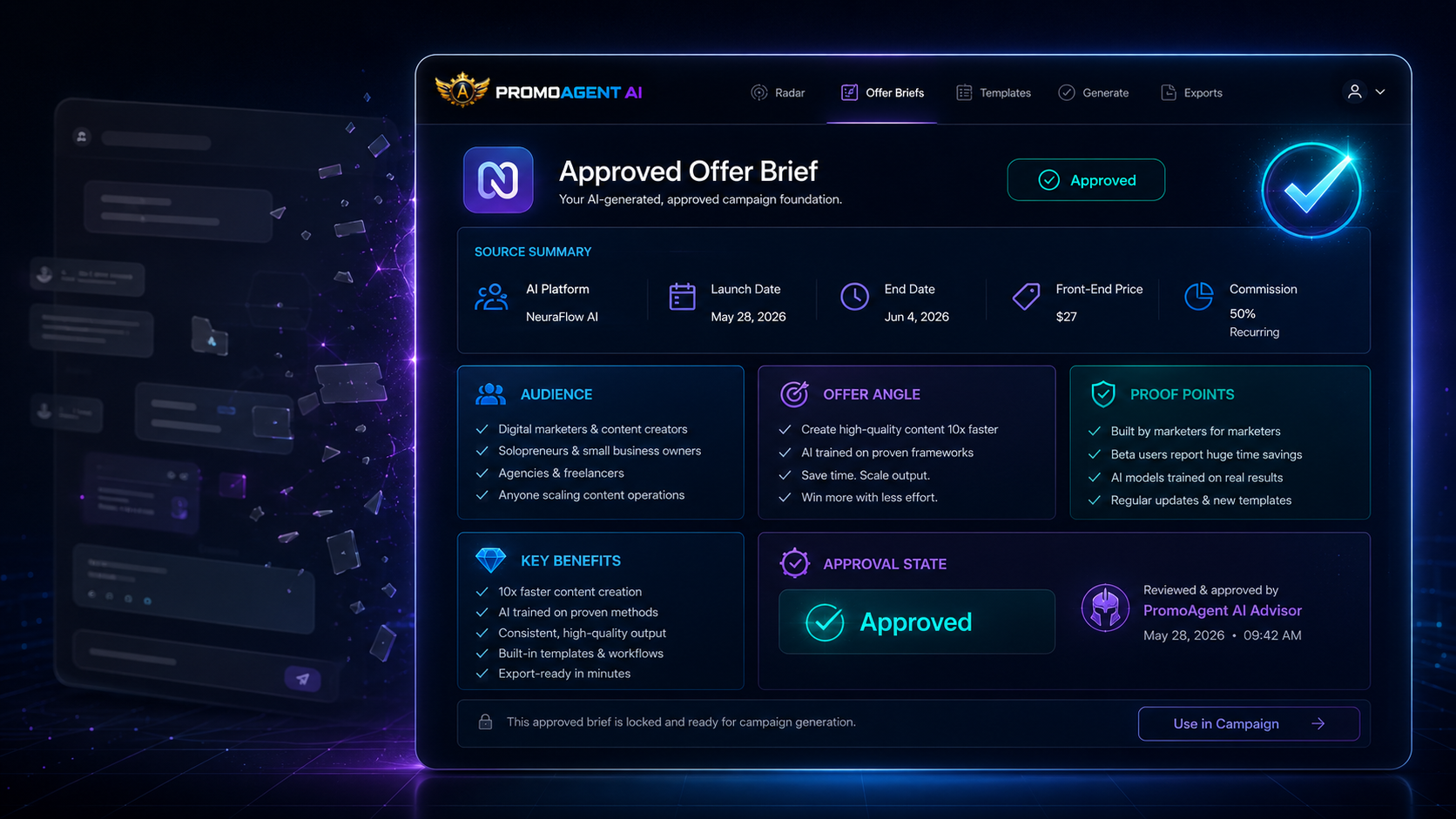
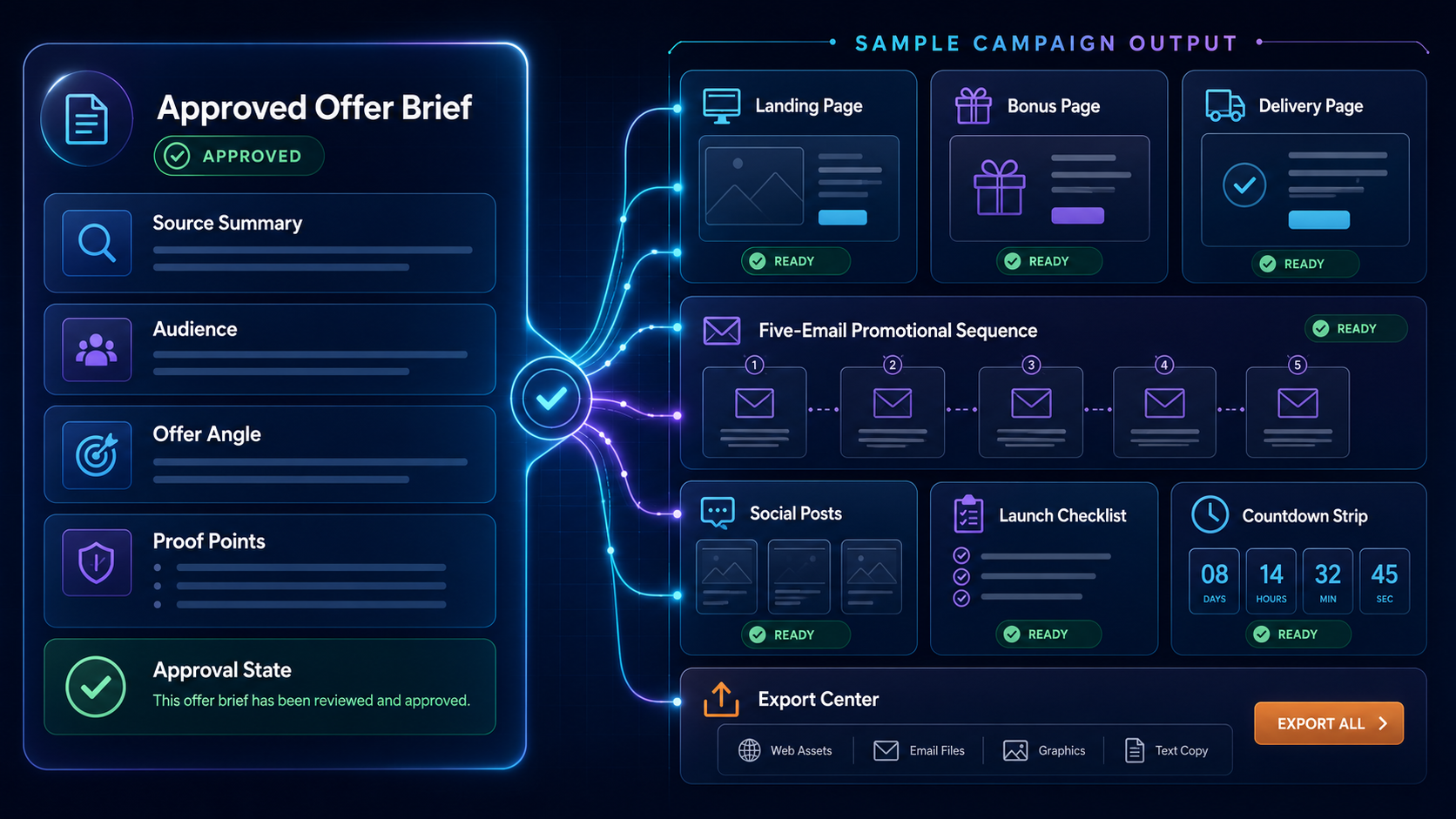
An approved Offer Brief in PromoAgent AI, showing the source summary, audience, offer angle and proof points, reviewed and approved
View in detail
Step 02 — The connected outputs
Sample campaign output generated from the same approved brief: landing page, bonus page, delivery page, five-email promotional sequence, social posts and checklist, all connected to one project
View in detail

Same project, two screens. Every asset on the right was built from the brief on the left — which is the part a chat thread has no way to hold.

Honest Fit

PromoAgent AI Is Built For You If…

Built for you if…
  • You promote software, courses, or other digital products as an affiliate
  • You want AI to generate the campaign assets instead of writing each one yourself
  • You use email to promote new offers
  • You build review, bridge, bonus, or launch pages
  • You regularly find suitable launches but struggle to prepare everything before launch day
  • You want the pages, emails, bonuses, and posts to follow one clear direction
  • You are tired of beginning every promotion from a blank document
  • You already understand affiliate campaigns but want to remove the repetitive creation work
  • You are newer to affiliate launches and want the campaign structure generated for you
  • You want editable AI-generated assets rather than fixed, locked content
  • You want the whole promotion kept inside one project

PromoAgent AI builds the campaign assets for you. It does not replace your audience, your judgment, or your responsibility as an affiliate.

The Complete Launch System

Start With A Complete Promo Kit Instead Of Another Blank
Document.

PromoAgent AI generates the assets your campaign needs, from the approved Offer Brief.

Raw launch sources — JV page, sales page, offer document and launch notes — read by PromoAgent AI into an approved campaign brief covering offer, audience, proof, objections, angle and launch details
01

Source and strategy

  • Launch RadarUpcoming and live launches in one list, with the details you need to decide.
  • Offer BriefThe launch source read into a structured brief you approve before anything is generated.
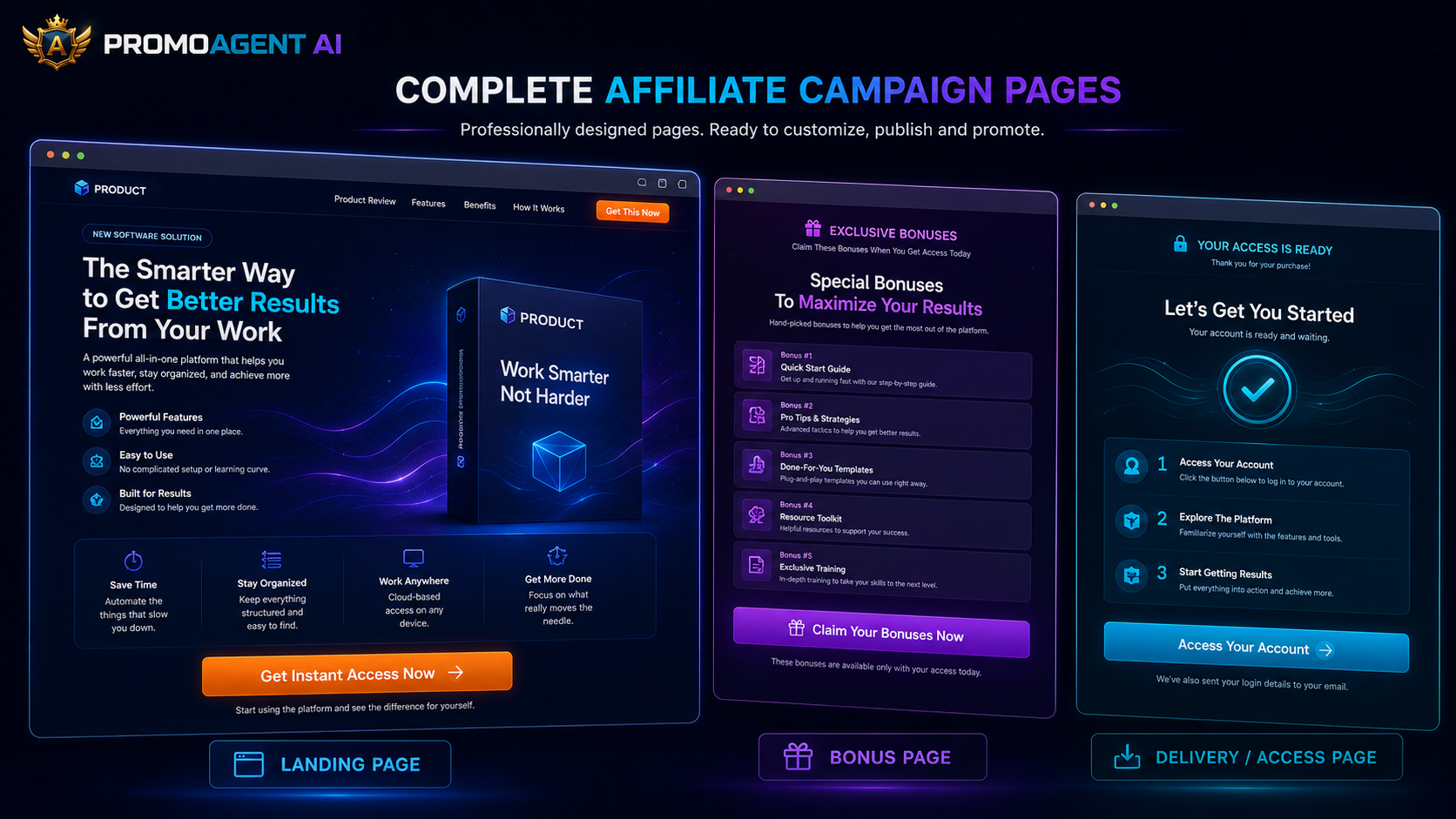
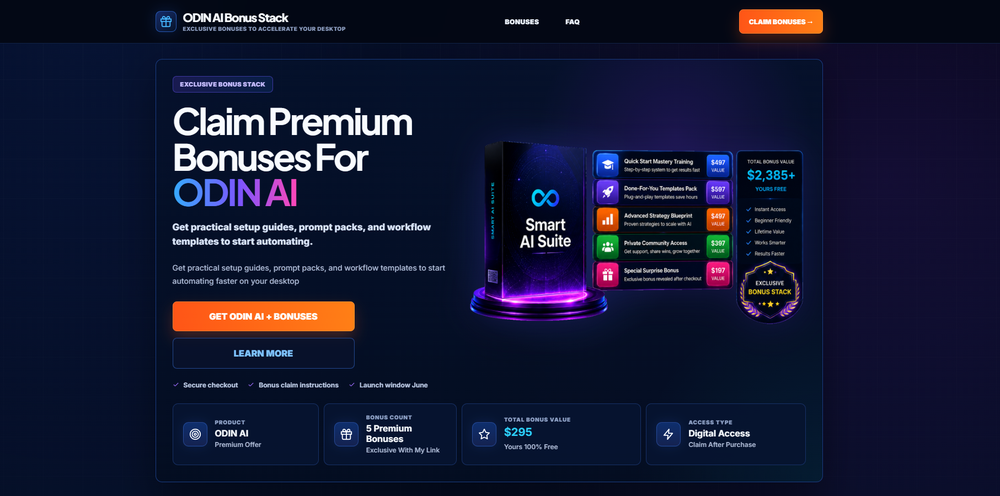
Sample generated landing page, bonus page and delivery/access page produced by PromoAgent AI, ready to customize and publish
02

Campaign pages

  • Landing pageReview, bridge or straight-to-offer — somewhere to send traffic that isn't a bare link.
  • Bonus pageYour stack presented properly, framed against the actual offer.
  • Delivery pageA clean access page where buyers claim what they paid for.
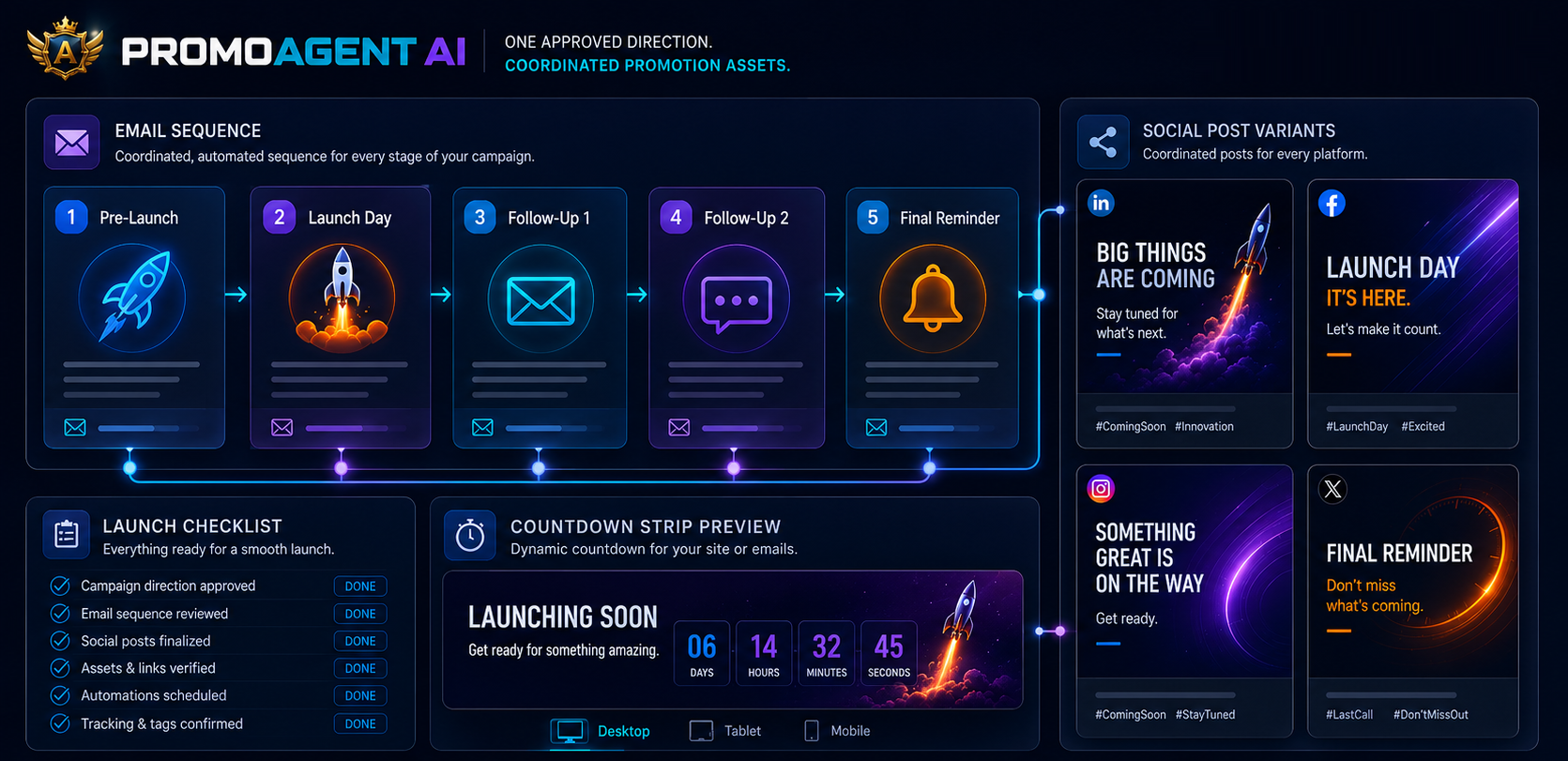
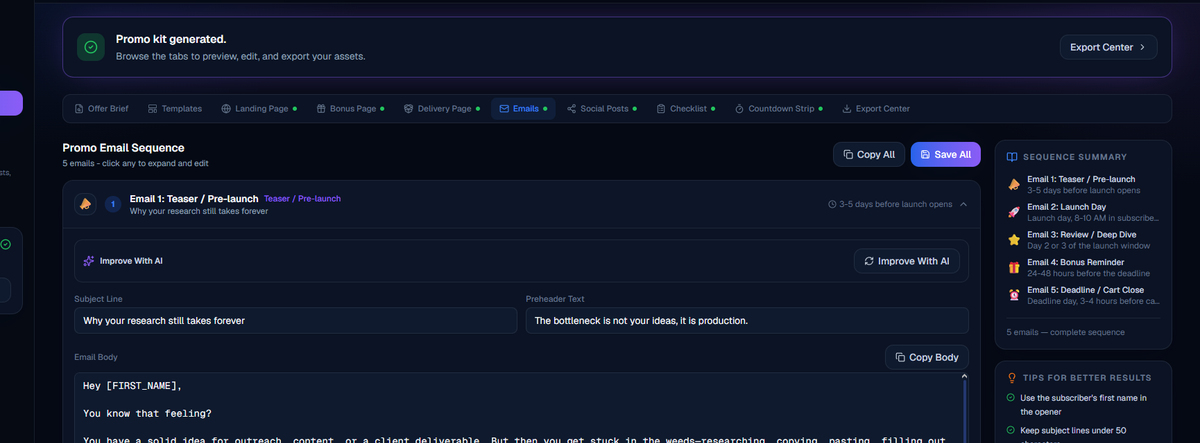
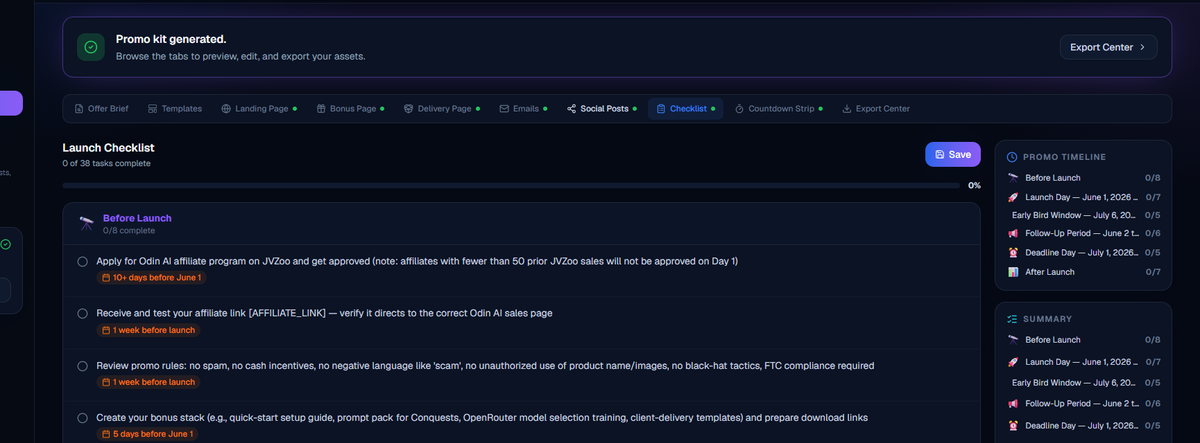
An illustration of a five-email promotional sequence, social post variants for multiple platforms, a launch checklist and a countdown strip, all generated from the same campaign direction
03

Promotion assets

  • Email swipesA full sequence from pre-launch to follow-up, written from your approved angle.
  • Social postsPlatform-ready posts pulled from the same angle as the emails and pages.
  • Launch checklistA step-by-step list specific to this campaign, so nothing gets forgotten.
  • Countdown stripA ready-to-drop urgency element for your pages — for when the deadline is real.
The PromoAgent AI campaign workspace beside the Export Center: the approved brief, 8 of 8 assets complete, and Preview, Copy Link, Download and Export actions for every asset
04

Workspace and export

  • Project workspaceOne organised home per campaign, holding the source, the brief and every asset.
  • Export CenterPull the kit out together, in the format you actually need.
  • BYOKYour own OpenAI or OpenRouter key, your model, billed by your provider.

Get your promo workspace ready.

Every module in one workspace — pages, emails, social, checklist and exports, not nine separate tools.

Training

Complete training included. Scope TBD

Section structure is built and ready. Every factual claim below is a placeholder pending owner confirmation — no lesson counts, module names, access rules or beginner claims have been invented.

Asset Required

Training screenshot / cover visual

No training screens exist in the supplied asset set. Nothing has been mocked up here, because a fabricated course screenshot would be a fake product claim.

Content Required

What's inside the training

Confirm the following before this section can go live:

  • Number of lessons / modules (if any)
  • Module names and running order
  • Format — video, written walkthrough, or both
  • Where it's delivered and how access is granted
  • Whether it is included with the product
  • Whether "beginner-friendly" is a claim you want to stand behind
Bonuses

Launch bonuses. All Facts TBD

Layout is built. Bonus names, deliverables, values, scarcity, dates and inclusion rules are deliberately empty — none of them have been invented.

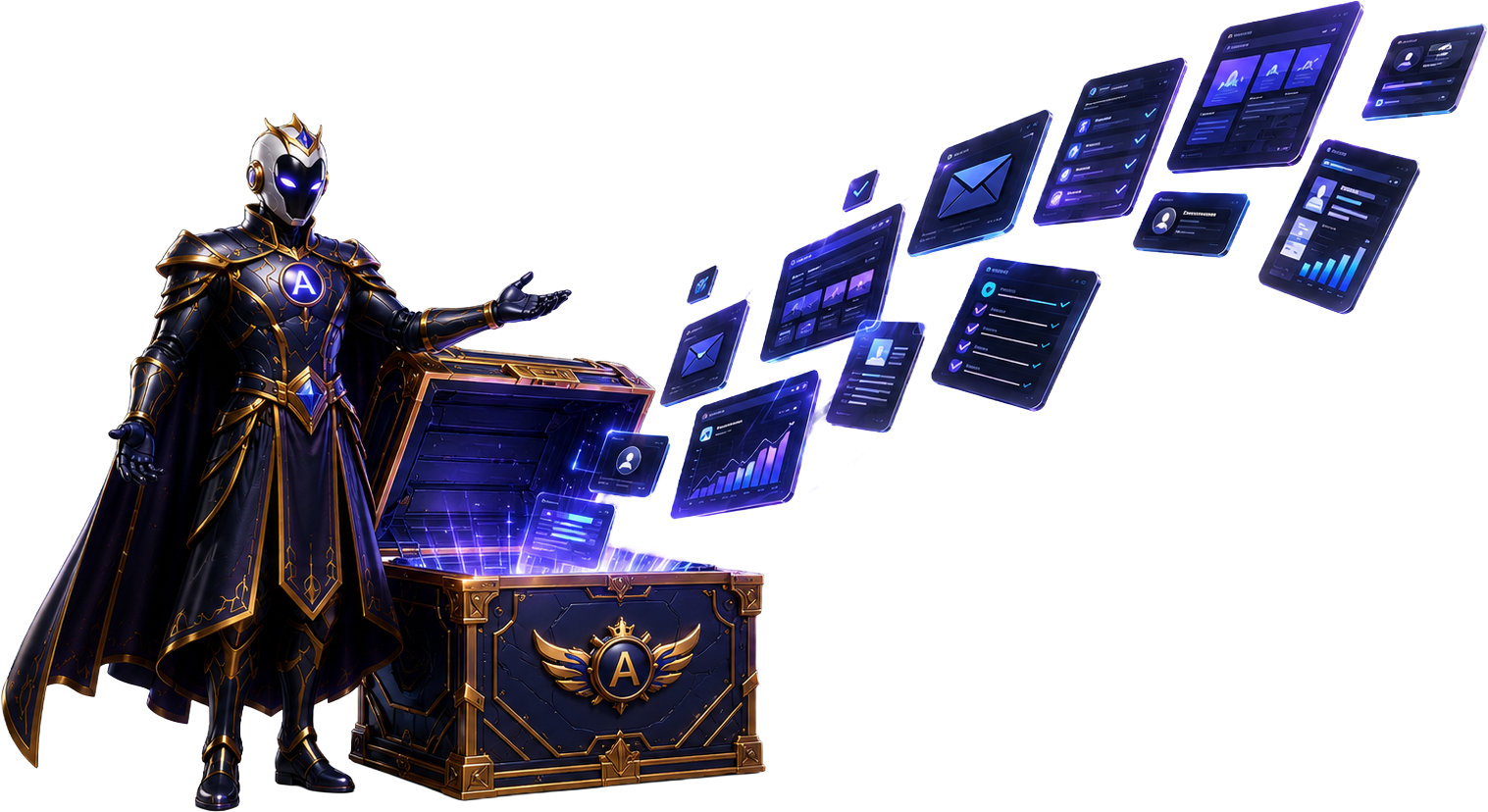
Aureon beside an open PromoAgent bonus chest, with campaign assets rising from it
01
[BONUS NAME TBD]

[Deliverable, format and who it's for — TBD]

02
[BONUS NAME TBD]

[Deliverable, format and who it's for — TBD]

03
[BONUS NAME TBD]

[Deliverable, format and who it's for — TBD]

04
[BONUS NAME TBD]

[Deliverable, format and who it's for — TBD]

Owner Confirmation Required
  • Bonus names and what each one actually is
  • Whether each bonus is included with the product
  • Whether any bonus is genuinely time-limited (and the real deadline)
  • Whether stated dollar values are being used at all
Access

Choose The PromoAgent Access That Fits Your Workflow.

Start with Basic, then add Pro or Elite capacity if you promote more often. Every option is a one-time purchase and uses your own OpenAI or OpenRouter key.

PromoAgent AI Access
One-time purchase · BYOK AI usage
Basic

Start promoting

$27 one timeRegular price $47

A complete, practical starting point for affiliates building a small number of campaigns each month.

  • 3 promo kits per month
  • Up to 10 active projects
  • Launch Radar and Offer Brief
  • Standard page templates and exports
  • Bring your own OpenAI or OpenRouter key
Choose Basic
Elite Upgrade

Remove the limits

$127 one timeRegular price $197

High-volume individual access for affiliates who do not want monthly promo-kit or active-project caps.

  • Unlimited promo kits
  • Unlimited active projects
  • All currently available templates
  • Launch Radar, exports and priority support
  • Personal-use licence; no agency or client rights included
Choose Elite
Accepted payment methods, device compatibility, and 14-day money-back guarantee

Launch pricing shown in US dollars. Each separate purchase has its own 14-day refund window. OpenAI or OpenRouter usage is billed separately by your chosen provider. Pro and Elite are upgrades and require a valid Basic licence.

The PromoAgent AI guarantee crest
14-Day Guarantee

Build A Real Campaign. Then Decide.

PromoAgent AI is meant to be judged on one thing: whether it gets a real launch prepared faster than you'd manage on your own. So run one. Point it at a launch you'd actually promote, take the brief through to the export, and see whether it earned its place in your workflow.

14-Day Product-Fit Guarantee.
Contact support@promoagentai.com within 14 calendar days of the applicable purchase if PromoAgent AI is not right for you. Upgrade refunds remove that upgrade and return you to the highest remaining paid tier. A Basic refund ends dependent product access. No sales, commissions, traffic or other results are guaranteed. Read the full Refund Policy.

The next launch is already moving.

Preparation only fits in the window before the window opens. This is where it goes.

Two roads from here.

The next launch is already moving. There are only really two ways you meet it.

Road One

You close the tab and promise yourself you'll start earlier next time.

Stalled · nothing carries forward
  • Launch details remain spread across pages and notes.
  • Every new campaign begins from a blank page.
  • The useful work still happens at the last minute.
  • The next launch starts from zero again.
Road Two

You start with a checked source and a workspace that is already organised.

Source → Brief → Kit → Export
  • Review the offer before building anything.
  • Keep every asset connected to one campaign.
  • Edit pages, emails, posts and delivery in one project.
  • Export when the campaign is ready.

Questions, answered.

An AI promo agent for affiliates. It turns a launch source — a JV page, sales page or offer doc — into a checked Offer Brief, then into a complete, editable promo campaign: pages, emails, social posts, checklist and export-ready assets.
You bring your own key. Connect an OpenAI or OpenRouter key in Settings and generation is billed by that provider at their rates — you're not buying credits from us.
Yes. Launch Radar and the paste-a-URL workflow are built around the kind of JV and sales pages common on WarriorPlus, JVZoo and similar marketplaces.
Yes — and you're expected to. Everything is a starting point inside your project workspace: edit copy, swap sections, adjust the angle, and drop in your own affiliate links before anything goes live.
No. No tool can. PromoAgent helps you prepare faster, better-organised campaigns. What you earn depends on the offer, your audience and how you promote — the same as any campaign you run.
No. It prepares your campaign assets; it doesn't generate traffic or find you buyers. You still need your own list, audience or traffic source.
Hosting details are still being finalised — whether generated pages are hosted inside PromoAgent AI or exported for you to host elsewhere. Hosting TBD
Yes. Basic is $27 at launch and includes 3 promo kits per month with up to 10 active projects. Pro is a $67 upgrade with 25 monthly kits, up to 100 projects, all current templates and priority support. Elite is a $127 high-volume individual-use upgrade with unlimited kits and active projects. All plans use your own OpenAI or OpenRouter key, so provider usage is billed separately.
Your Next Launch Does Not Need To Start From Scratch

Start With The Campaign Already Built.

Give PromoAgent AI the launch source. It creates the connected, editable pages, emails, social posts, checklist, and export-ready assets from the brief you approve.

  • One checked Offer Brief
  • One connected editable promo kit
  • You stay in control of what gets published
Aureon, the PromoAgent AI campaign strategist, holding a laptop
Accepted payment methods, device compatibility, and 14-day money-back guarantee

Review the brief, generate the campaign, edit what you need, and publish only when you are ready.